


Friday, November 6, 2009
Sniff Out The Energy Hogs in Windows 7
Posted by Jason Dunn in "Digital Home Software" @ 09:30 AM
I read about this tip in Maximum PC, tried it myself, and thought I'd share it with Digital Home Thoughts readers. It's pretty cool! This tip will tell Windows 7 to generate a power report, telling you which devices are mis-configured for optimal power savings.
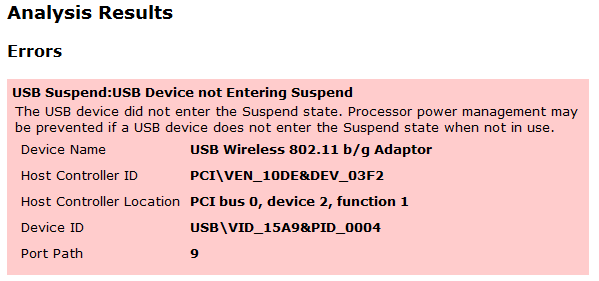
To generate this report, here's what you do: first, click on the Start button, then type CMD. Right-click on the CMD program that will appear in the filtered list, and select Run As Administrator. A command-line box will appear. At the prompt, type in powercfg -energy. Wait 60 seconds, and Windows 7 will generate an HTML file called energy-report in the Systerm32 directory. Go find it and check out the results. Read more...









